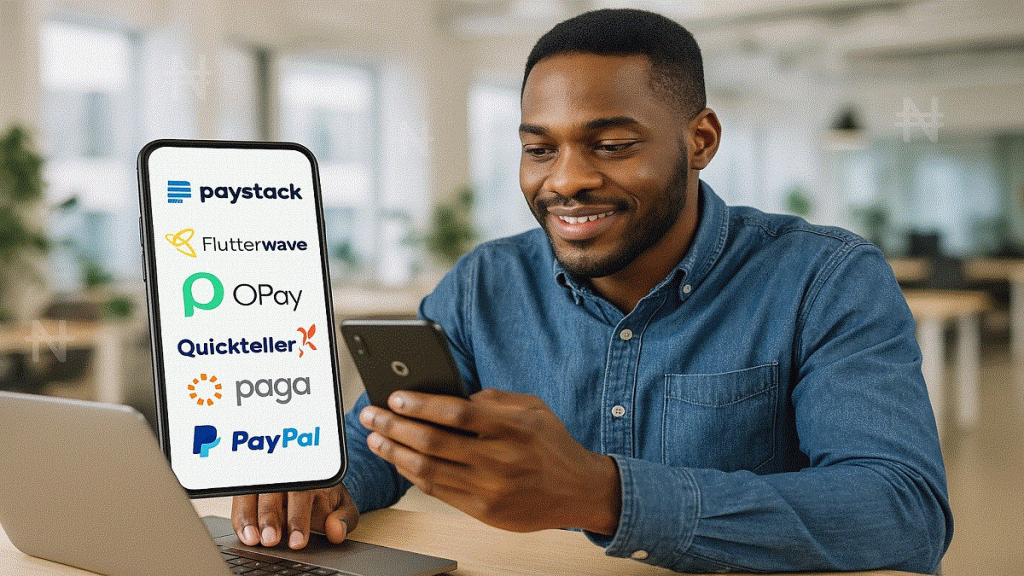

Ever lost a client because you couldn’t get paid quickly? In Nigeria’s fast‑paced gig economy, the right payment apps Nigeria can be the difference between on‑time cash flow and missed opportunities. Whether you’re a freelance writer, graphic designer, ride‑hailer, or side‑hustler, having a reliable, mobile‑first payment solution is nonnegotiable. In this guide, we dive into Nigeria’s top payment apps—each vetted for trust, features, fees, and ease of use on a smartphone. You’ll discover which app fits your hustle, how to sign up in minutes, and tips for maximizing each platform.
Why Choosing the Right Payment App Matters
Freelancers and hustlers face unique challenges: unpredictable income, multiple clients, and a need for quick, low‑cost transfers. A subpar payment method can cost you time, money, and clients. The ideal Nigerian payment app should offer:
- Fast Transfers: Instant or near‑instant payouts to your bank or wallet.
- Affordable Fees: Minimal charges so you keep most of your earnings.
- Mobile‑First Design: Full functionality on your phone—no desktop needed.
- Local & Global Reach: Support for naira‑to‑naira and international transactions.
- Security & Compliance: BVN/KYC checks, data encryption, and regulatory approval.
According to a 2024 report from TechCabal, mobile money transactions in Nigeria grew by 120% year‑on‑year, underscoring how essential smartphone payment apps have become for the nation’s digital workforce.
1. Paystack: The Freelancer’s Best Friend
What it does: Paystack is a Nigerian‑born payment processor that lets you accept card, bank transfer, and mobile money payments with a few taps.
- Key Benefits:
- Instant Settlements: Transfers to your local bank account in as little as one business day.
- Low Fees: 1.5% on local transactions (capped at ₦2,500) and 3.9% + ₦100 on international cards.
- Invoicing & Links: Generate Paystack Payment Links to send to clients via WhatsApp or email—no website needed.
- How to Sign Up on Phone:
- Download the Paystack Dashboard app (iOS) or visit the Paystack Dashboard in your mobile browser.
- Complete BVN/KYC verification with your National ID.
- Create a “Payment Link” directly in the app and share with clients.
- Use‑Case Scenario: Freelance writers use Paystack Links to bill international clients. One copywriter reported cutting payment wait times from 72 hours to just a few minutes—boosting her monthly earnings by 15%.
2. Flutterwave: The All‑Rounder for Local & International Pay
What it does: Flutterwave powers payments for businesses and individuals, supporting card, mobile money, bank transfer, and even QR code payments.
- Key Benefits:
- Rave Links & Invoices: Send payment requests via link or email without coding.
- Payouts to 30+ African countries in local currency.
- Multi‑Currency Wallet: Hold and convert USD, EUR, and GBP alongside naira.
- How to Sign Up on Phone:
- Visit the Flutterwave for Individuals page on your mobile browser and choose “Create Personal Account.”
- Verify with your email and BVN.
- Use the Rave Payment Link feature to bill clients instantly.
- Use‑Case Scenario: A Lagos‑based virtual assistant began charging UK clients in pounds, receiving payouts directly into her Flutterwave USD wallet, then converting only what she needed—saving on forex fees.
3. OPay: Super‑App with Built‑In Wallet
What it does: OPay is a Nigerian super‑app offering payments, transfers, bike‑hailing, and savings, all from your phone.
- Key Benefits:
- Instant Transfers to any Nigerian bank account with zero fees on many transactions.
- Free QR Payments at select merchants.
- In‑App Savings & Loans, helping you manage cash flow.
- How to Sign Up on Phone:
- Download OPay from Google Play.
- Register with your phone number and complete BVN verification.
- Load your OPay wallet via bank transfer or USSD.
- Use‑Case Scenario: Ride‑hail drivers often use OPay to collect fares, then cash out instantly to their bank, avoiding queueing at ATM machines and losing fares to ATM withdrawal fees.
4. Quickteller: The Veteran Reliable Choice
What it does: Quickteller, backed by Interswitch, lets you pay bills, transfer funds, and receive payments via mobile.
- Key Benefits:
- USSD & App Access: Send
*322#from any phone or install the Quickteller app for a GUI interface. - Instant Bank Transfers with competitive fees (₦50 flat fee per transfer).
- Bill Payments & Airtime top‑up in the same app.
- USSD & App Access: Send
- How to Sign Up on Phone:
- Dial
*322#and follow the prompts to set up a PIN. - Link your bank account with BVN for instant transfers.
- Dial
- Use‑Case Scenario: Content creators on Patreon or Substack in Nigeria use
*322#to instantly withdraw their USD earnings to local naira accounts, avoiding long bank processing times.
5. Paga: Simplicity Meets Reliability
What it does: Paga is a mobile money service that allows users to send and receive money, pay bills, and buy airtime.
- Key Benefits:
- Agent Network: Cash in/out at thousands of Paga agents nationwide.
- Float Transfers: Send real‑time money to other Paga users instantly.
- Bill Payments & QR for merchant payments.
- How to Sign Up on Phone:
- Install Paga or dial
*242#. - Register with phone number and verify via SMS code.
- Install Paga or dial
- Use‑Case Scenario: Graphic designers use Paga to receive small‑ticket payments (₦500–₦2,000) for quick revisions. Clients appreciate the ease of sending money to a phone number.
6. PayPal: For Global Freelancers
What it does: PayPal remains the go‑to for international freelancers. While withdrawals require a linked Payoneer or other intermediary, it’s indispensable for global work.
- Key Benefits:
- Global Acceptance on freelance marketplaces like Upwork.
- Buyer/Seller Protection for safe transactions.
- How to Sign Up on Phone:
- Download the PayPal app or use mobile browser.
- Link a Payoneer account (for Nigerian withdrawals) or card.
- Use‑Case Scenario: A copyeditor in Abuja earns $200 monthly on Upwork, withdraws to PayPal, then transfers via Payoneer to her naira bank—she finds the total withdrawal fee (~$3.50) worth the convenience.
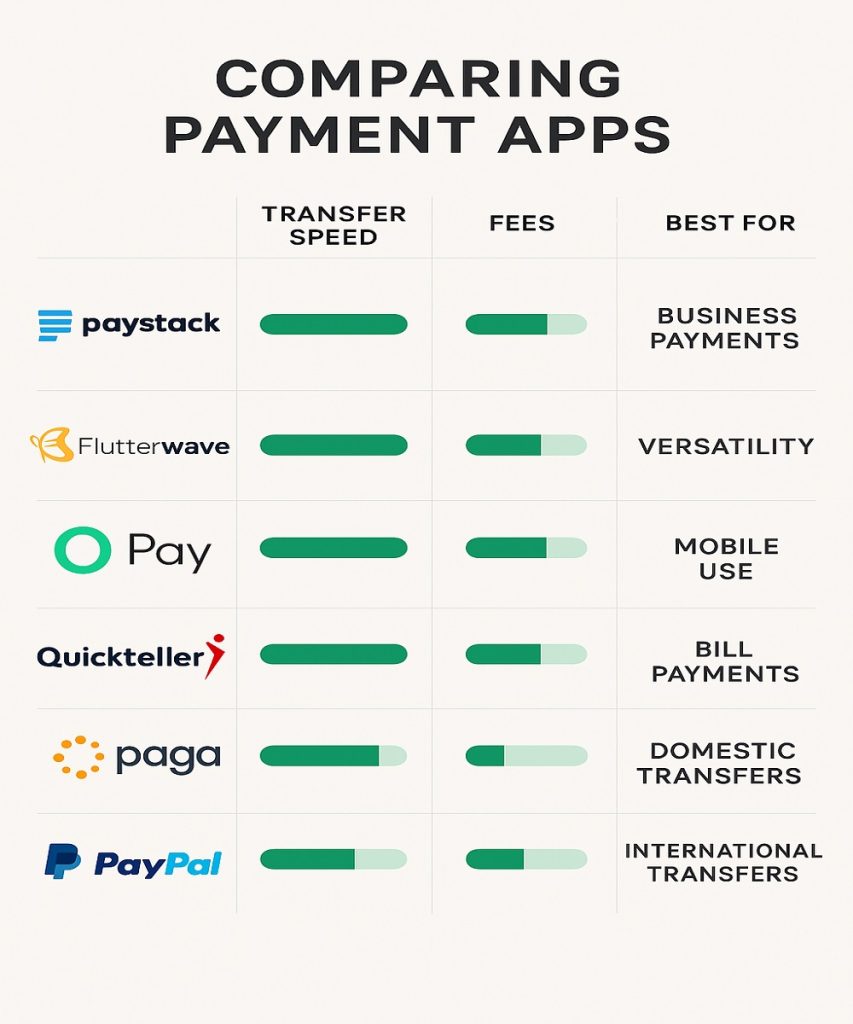
Side‑by‑Side Comparison Table
| App | Transfer Speed | Fees | Device Setup | Best For |
|---|---|---|---|---|
| Paystack | Same‑day (1 business day) | 1.5% local; 3.9%+₦100 Intl. | Download app or Web Dashboard | Invoice & link‑based freelance |
| Flutterwave | Instant to wallet; 1‑2 days to bank | 1.4%–3.8% depending on method | Mobile browser; no app required | Multi‑currency freelancing |
| OPay | Instant | ₦0–₦50 per transfer | Android/iOS app | Daily fares & local transfers |
| Quickteller | Instant | ₦50 flat fee | USSD *322# or mobile app | On‑the‑go withdrawals |
| Paga | Instant to Paga; agent cash‑out | ₦50–₦100 per cash‑out | USSD *242# or app | Small payments & billers |
| PayPal | Instant in USD; 1‑3 days to card | ~2.9% + $0.30 per transaction | iOS/Android app | Global freelancing |
Key Insights & Pro Tips
- Mix & Match: Use Paystack or Flutterwave for invoices, OPay for daily cash needs, and Quickteller for emergency
*322#withdrawals. - Watch for Promos: Apps like OPay or Paga often run referral bonuses or cashback campaigns—capitalize on them to pad your wallet.
- Maintain Multiple Wallets: Keep small balances in each app to avoid downtime when one service is down for maintenance.
- Monitor Fees: For large transfers, the flat ₦50 Quickteller rate may be cheaper than percent‑based fees.
Conclusion
Navigating payment apps Nigeria can feel overwhelming, but the right mix of tools turns your smartphone into a financial hub. From Paystack’s seamless invoice links to OPay’s zero‑fee instant transfers, each app offers unique strengths. Test one or two this week—set up your account, verify your BVN, and send a test payment. Then share your experience in the comments: Which app sped up your cash flow the most?
If you found this guide helpful, subscribe for more insider tips on growing your freelance and side‑hustle income in Nigeria. Your next client payment is one app away—get started now!